


How to handle h52nx conversion issues#
This section present ways to go around some potential issues during conversion from bliss-scan to NXtomo like:
some bliss entry is skipped / unrecognized
some mandatory information are missing
specify some field values
provide a h52nx configuration file to tomwer
Some bliss entry is skipped / unrecognized#
Currently the deduction of a bliss scan type (dark, flat, projection…) is done by:
looking at the ‘technique’ group (image_key dataset)
else look at the title. Title mapping is defined in settings.py file of nxtomomill.
If the titles have a specific naming convention then you can provide updated information to one of the following:
modify it from the settings.py file (if this is a local installation
provide different name to be used
from the CLI
from a configuration file (see later)
from the python API
Hint
You can ‘ignore’ the bliss ‘technique’ dataset (aka bliss tomo config) by using a configuration and turning the ignore_bliss_tomo_config to True
From the CLI without a configuration file#
If you look at the help you can see how to redefine title names.
nxtomomill h52nx --help

    --init_titles: mark the beginning of a Bliss sequence (eq acquisition). Use for example to retrieve energy.
    --dark_titles: specify that this Bliss entry is relative to dark field
    --flat_titles: specify that this Bliss entry is relative to flat field
    --proj_titles: specify that this Bliss entry is relative to projection
    --align_titles: specify that this Bliss entry is relative to alignment (some time called 'return')
    --init_zserie_titles, --init-multitomo-titles same as init-titles but dedicated to zseries and multi-tomo (behavior of NXtomo creation is a bit different)
From the CLI with the configuration file#
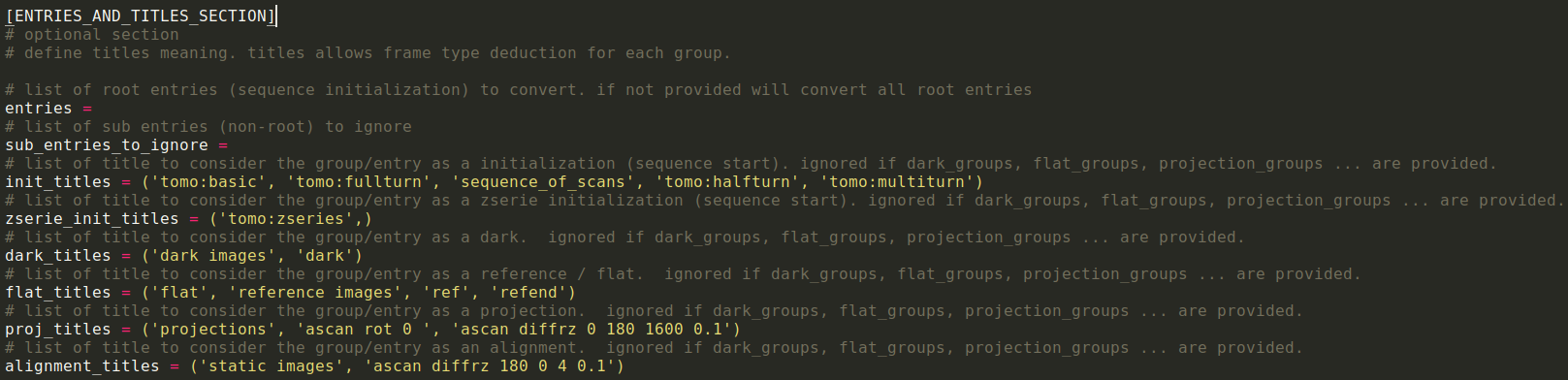
The same information can be provided to ENTRIES_AND_TITLES_SECTION section
From the python API#
you can also provide this information to the TomoHDF5Config class like:
configuration = TomoHDF5Config()
configuration.init_titles = ("mytomo:basic", "mytomo:fullturn")
Some mandatory information are missing#
From the CLI without a configuration file#
There is a limited number of information that the user can provide manually like energy or pixel size. Those can be provided from the set-params option like:
In this case you can provide it from the –set-params option from the CLI like:
nxtomomill h52nx … –set-params energy 0.5
Warning
the –set-params option should always be put at the end of the command. Because it can take a full list of sub-options
From the CLI with a configuration file#
You can also provide this information to the configuration file under the EXTRA_PARAMS_SECTION section like:

From the python API#
Or provide this from a python script when defining the configuration
configuration = TomoHDF5Config()
configuration.param_already_defined = {
    "energy_kev": 19.2,
}
Specifying field values#
For specific fields (“detector name”, “translation_x”, “translation_y”, “translation_z”, and “rotation”), we attempt to extract this information from the ‘technique’ dataset. If the data is not available there, we revert to the generic behavior.
Generic behavior#
The generic behavior involves searching for each field in a set of predefined locations or paths. If the dataset’s structure matches the expected format, the field value is retrieved from the corresponding location.
Customizing locations#
You can customize these locations (similar to titles) using the following methods: * settings.py file: modify this file to change the default locations parsed. * command line options. * h52nx configuration file: overwrite the locations from a configuration file.
From the CLI without a configuration file#
For the CLI we can get them using ̀`nxtomomill h52nx –help` again:
–x_trans_keys: x translation key in bliss HDF5 file.
–y_trans_keys: y translation key in bliss HDF5 file.
–z_trans_keys: z translation key in bliss HDF5 file.
–sample-detector-distance: sample detector distance.
–valid_camera_names: Valid NXDetector dataset name to be considered. If None will try to deduce the NXdetector from attributes and shape of the dataset
–rot_angle_keys: Valid dataset name for rotation angle. If None, look name from “technique/scan/motor”
–acq_expo_time_keys: acquisition exposure time in bliss HDF5 file.
–x_pixel_size_key x pixel size key in bliss HDF5 file.
–y_pixel_size_key y pixel size key in bliss HDF5 file.
From the CLI with a configuration file#
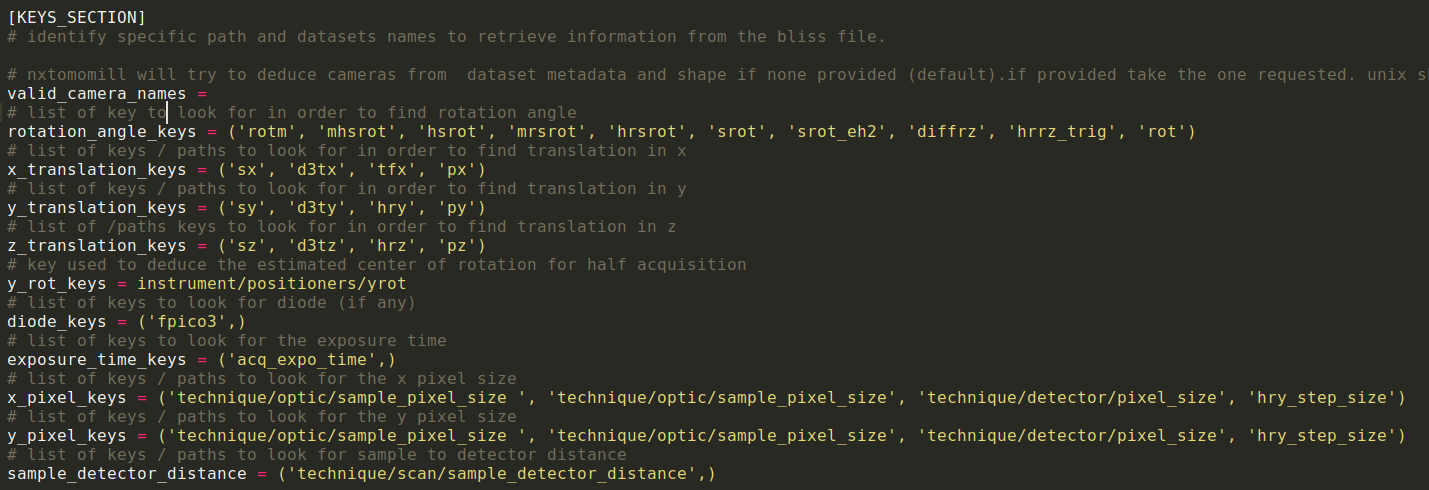
the same field are available on the KEYS_SECTION of the configuration file.
dataset discovery is done as follow:
converter will first look at positioner group to resolve key then at root group aka bliss entry*. Collect is done by a look like code:
for parse_group in (positioner, root_aka_bliss_entry):
# first step: look for existing dataset with expected number of elmt
for key_checked in parse_group:
    if find_dataset_with_expected_nb_elment:
        return it
# second step: look for existing dataset and adapt it if not enought elmt
for key_checked in parse_group:
    if find_dataset:
    return it
return None